Ledger
An email app for iPhone and Mac that lists people, not messages, and shows whose turn it is to write.
Private A test build on one person's iPhone and Mac. Not on the App Store.
There is nothing to install. The screenshots below use invented people and mail.
You read a message, meant to answer it later, and three weeks went by. Gmail marked it read, so nothing looked wrong. Ledger lists the people in your mail and shows, for each one, whether it is your turn to write or theirs, oldest first.
What it does
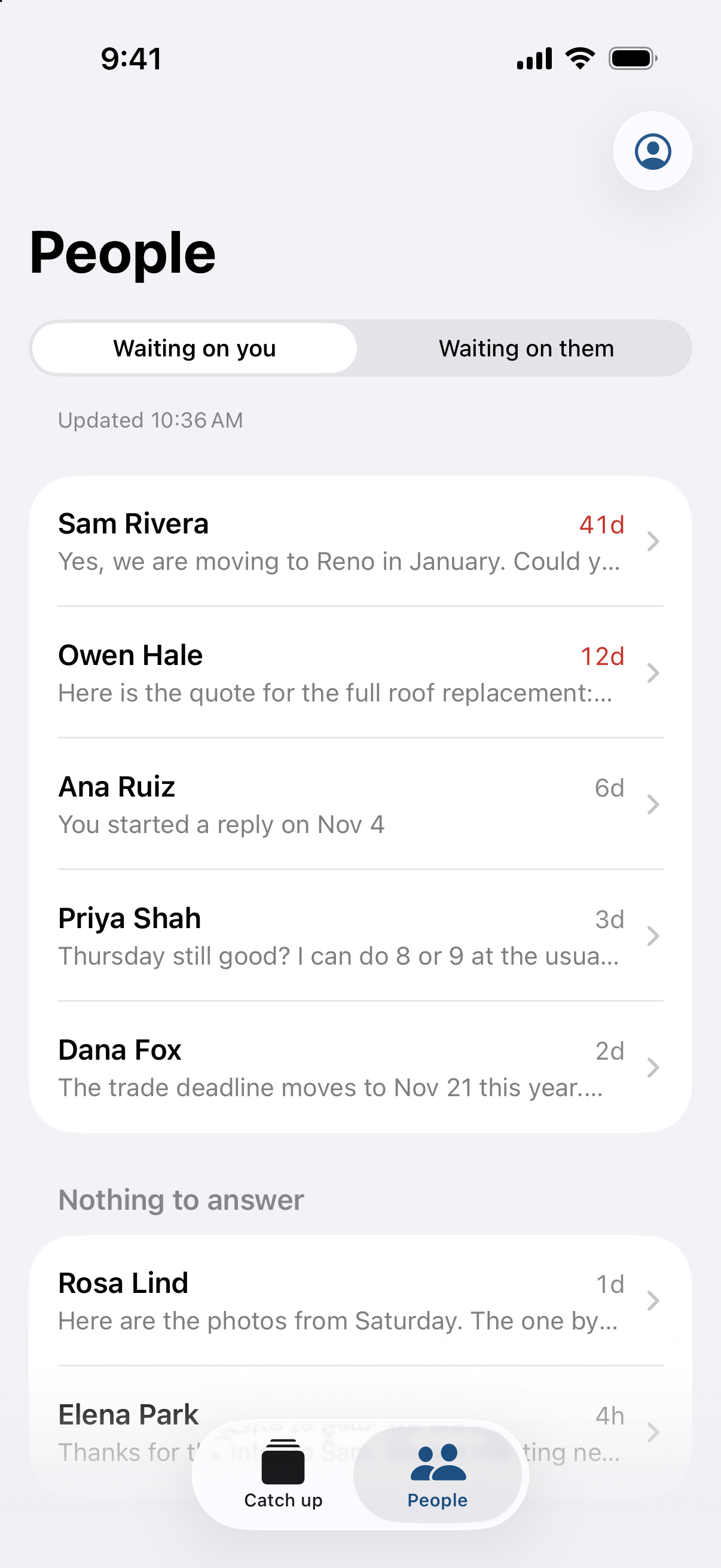
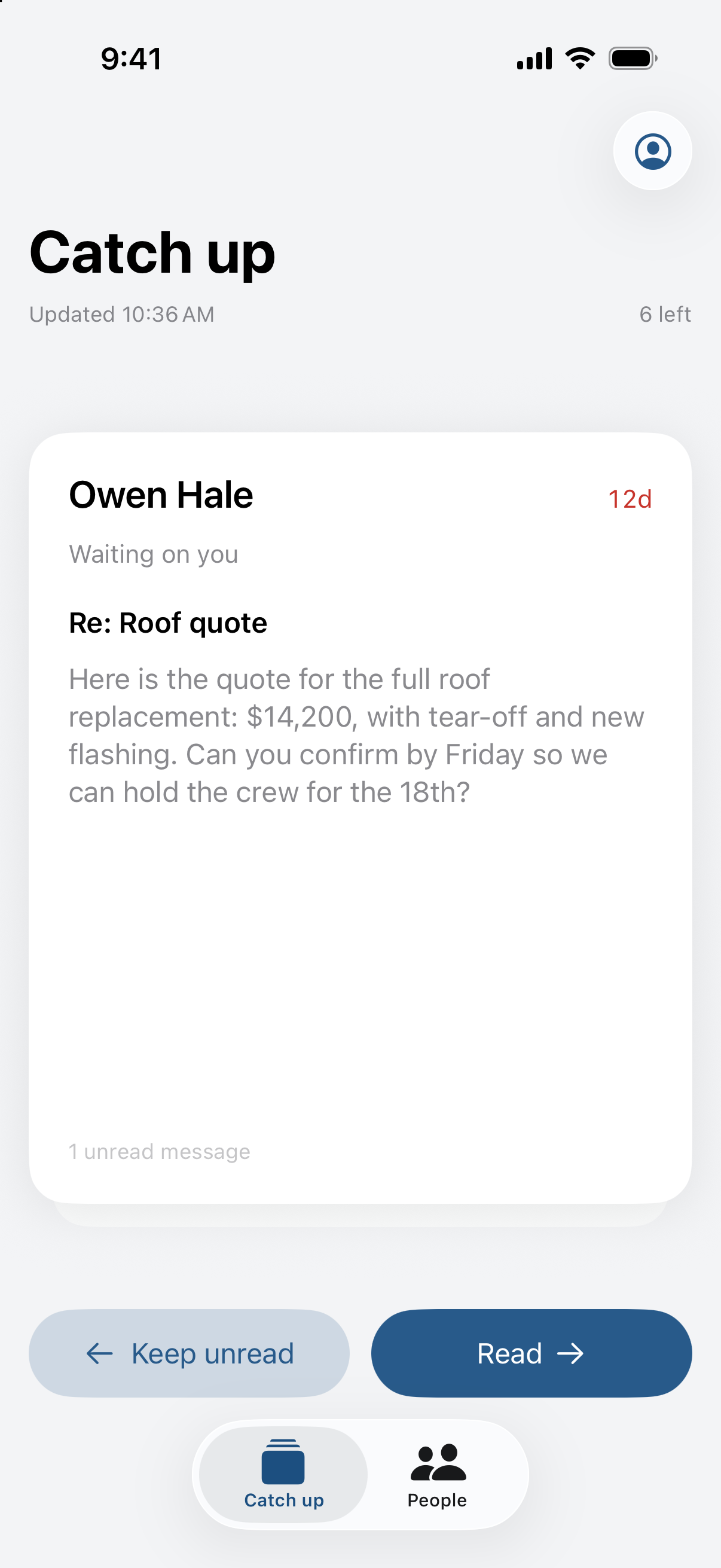
Ledger has two screens. Catch up shows one card for each person with new mail. Swipe right to mark it read, or left to keep it unread. Reading is not answering, so the person stays on your list until you reply. People shows two lists, Waiting on you and Waiting on them, with one row per person, oldest first. A row turns red after 7 days.
Gmail stays the same
Ledger adds nothing to Gmail: no labels, no filters, no folders. A few choices have no place in Gmail, such as “this needs no reply” or “stop waiting on this one”. Ledger keeps those in a small file on your device. A new message in the thread clears them, so the person comes back to the list when they write again.
Who it is for
For people whose personal Gmail mixes friends, family, bills, a household and work contacts, and who answer it from a phone. It works with Gmail only, and it is not for a shared support inbox.
The details
| Platform | iPhone and Mac, iOS 26 and macOS 26. One app for both. |
|---|---|
| Gmail only. You sign in with your Google account. | |
| Where the data lives | On your device. Ledger has no server and talks only to Google. |
| What it changes in Gmail | Only what you would do by hand: mark read, archive, and send a reply. It creates no labels or filters and deletes nothing. |
Questions
Does it change how Gmail works?
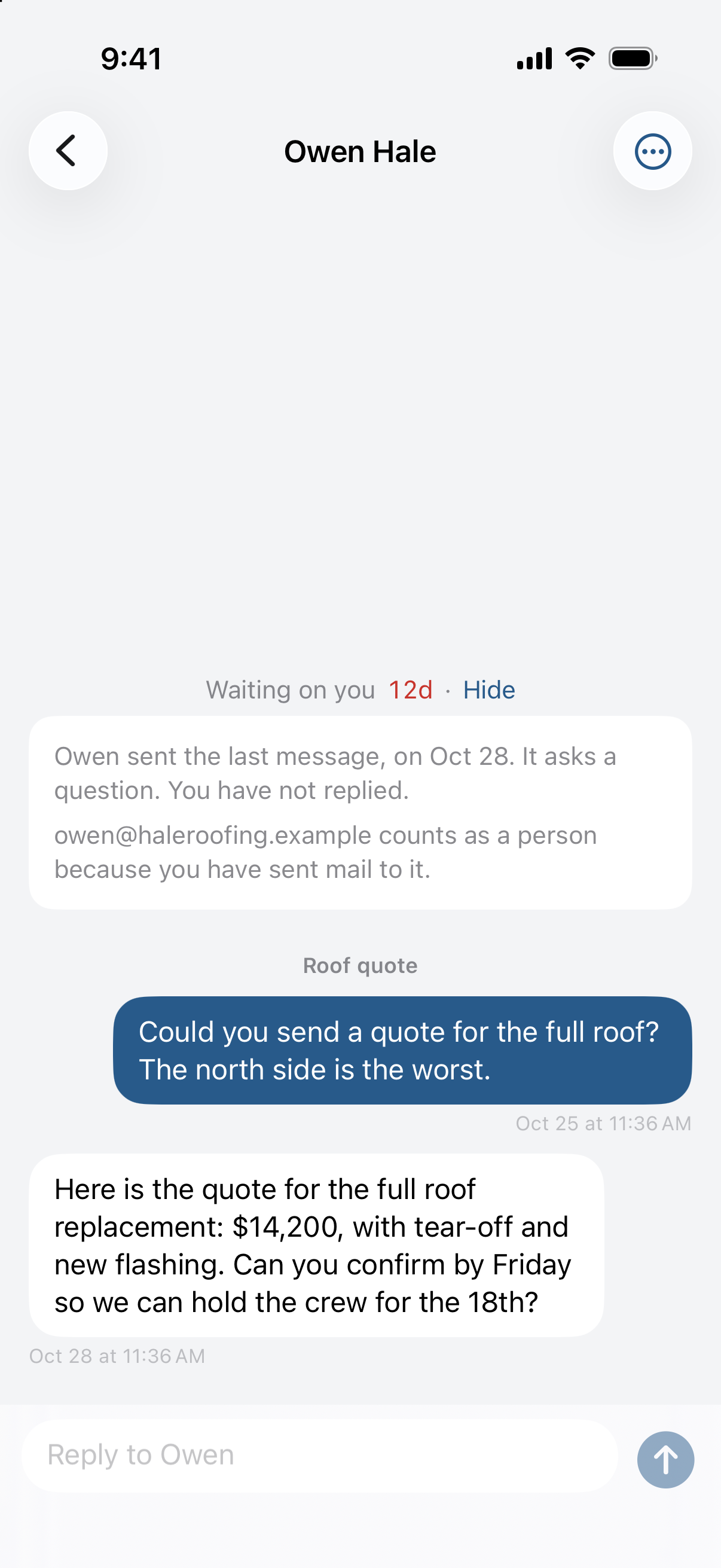
No. Reply in Gmail and Ledger sees the reply. Archive in Gmail and Ledger treats the message as handled. Delete Ledger and Gmail is the same as before.
How does it decide whose turn it is?
From who sent the newest message and whether it asks something. If the newest message is from a person, is still in your inbox and asks a question, the turn is yours. If the newest message is yours and asks a question, the turn is theirs. No AI makes this call. Tap Why? on any person to see the rule that put them on the list.
What about newsletters, receipts and alerts?
They get no rows. Catch up ends with one card for all of them, and one swipe marks them all read.
Can I use it?
No. It is a test build for one person. Whether it becomes an app other people can install is not decided.
Get updates
Occasional notes on what's happening at Enginery. No spam, no marketing.